
Image To Text Converter Online
Image To Text Converter Tool
Best free OCR tool to extract text from images online.
You may choose multiple languages, but the accuracy might decrease
Drag and drop files here
or
No file currently being processed
0%
| File Name | Extracted Text |
|---|
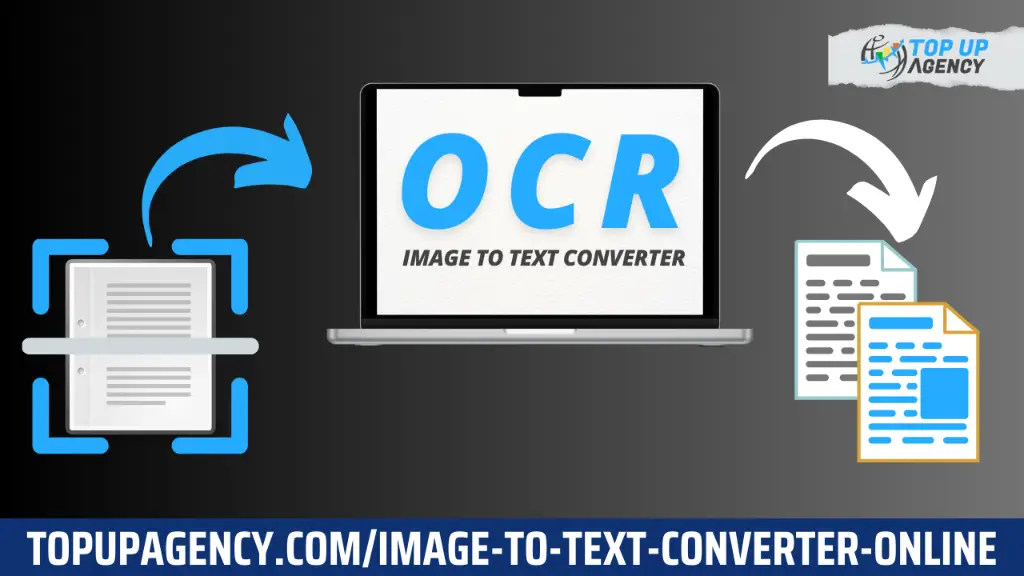
Do you want to do something quickly with images and convert them into text? Our Image to Text Converter Tool helps you extract text from scanned documents or photos of printed text Whether you’re extracting data, using your phone camera for taking a Picture, and then extracting the solid part that has been inserted into an image. You just need a few clicks to extract text on images to save time and increase productivity.
This article will guide you through the workings and usefulness of Image Text Converter and explain how our Free OCR Tool is also top-notch.
What is an Image-to-Text Converter?
An Image-to-Text Converter is a tool that uses Optical Character Recognition (OCR) technology to recognize and extract text from images. Performs well with different formats like JPG, PNG, and GIFs as PDFs.Once extracted, the text can be edited, copied, or used in documents, presentations, and more.
Businesses, students, and professionals use these tools to process invoices efficiently, scanned reports, and other text-heavy images.
Our Image to Text Converter Tool simplifies OCR processing with these three easy steps:
Upload Your Image
You can either choose a picture from your device or drag and drop it on the tool. We deal with JPG, PNG, BMP formats, and also PDFs.
Extract Text Instantly
Our OCR Tool Once you have uploaded an image for analysis, our tool will work out the text contained in your images.
Copy or Download the Text
After extracting text, the performer can simply copy or download the whole extracted data sheet as a plain / Word Document. It is simply done faster and with higher accuracy this way, saving you from having to manually type out long lines of text from images yourself.
Best Free OCR Tool
We built our Image to Text Converter Online Tool, the best free way of extracting text from images. Thanks to the intelligent OCR technology and super intuitive interface — all text can be easily captured with clarity without any expensive
Select Languages
During the process of text extraction, our tool offers a feature using which you can opt for many languages. Users can choose from:
English
Traditional Chinese
Simplified Chinese
Japanese
Korean
Hindi
Urdu
You can also select to include multiple languages for your specific needs. However, it is essential to understand a single point that the flexibility this feature offers, may result in text extraction being less accurate when working with mixed languages. This most likely makes our tool a better choice for anyone requiring multi-lingual capabilities.
Upload Images or Drag and Drop
The tool supports file uploads as a feature. Click for an image from a file on your computer, or drag and drop into the area below. So that, you can now get well started for text extraction and the uploading process become smooth.
Drag and Drop Files Here:
Simply drag your image files into the highlighted area for immediate processing.Or:
Click the “No file chosen” area to browse and select images manually.
Font Size and Font Color Options
You can also choose to change the appearance of this text when you extract it by choosing color and font size methodology. For example, adjust the font size to 14px. It allows you to format the extracted text as per your requirements or wish.
Real-Time Processing Status
It gives you great feedback on your current upload and extraction effort. You will also get a message stating that there is no file being processed right now — so you are always informed of the status.
Search Functionality
Once text has been extracted, the results are fully searchable. A search option in the tool that can help you with filtering text based on file name or keywords. This makes it easy to find specific information from multiple extractions.
File Name: Displays the name of the uploaded file.
Extracted Text: This shows the text that has been successfully extracted from your image.
Conclusion
When the days are shorter and your workload is longer, you must keep up with a fast-paced digital world. Our Image to Text Converter Tool allows you to convert images into text by OCR, it is very fast so users can easily count and be able to extract or scan data. It has an easy-to-use interface, multi-lingual support, and powerful OCR technology which can save you time and help you increase productivity if you are a student professional or business owner.
It is the most efficient option on the market for anyone who wants to convert text documents into digital format with as little effort and time spent as possible, all thanks to the simple extraction process it requires. Get a taste of converting an Image to text online and unleash your productivity level. Completely transforming the way you do daily tasks. Give it a shot obviously, and find the variation!
1. What types of images can I upload for text extraction?
Upload JPG, PNG, BMP images, and PDF files. Our Image-to-Text Converter supported this, as its formats are versatile to meet various requirements.
2. Is the extracted text editable?
Yes! When you use our tool to extract the text, it will be copied as plain text which you can edit or download in a Word document format. It enables smooth integration with your projects or documents.
3. How accurate is the text extraction, especially with multiple languages?
The OCR technology is used for text extraction with efficient results. On the other hand; when working with mixed languages, it is important to note that you can select multiple languages but accuracy may decrease. Standards ModeBest displayed in one language.